How to Choose the Right Computer for Your Needs: A Guide from ComputerBuddy.co.uk
Introduction
Choosing the right computer can be a daunting task with so many options available in the market. Whether you are a student, a professional, a gamer, or just looking for a computer for everyday use, it's essential to understand your needs and make an informed decision. At ComputerBuddy.co.uk, we understand the importance of finding the perfect computer that suits your requirements. In this guide, we will walk you through the steps to help you choose the right computer for your needs.
Step 1: Determine Your Needs
The first step in choosing the right computer is to determine your needs. Ask yourself what you will be using the computer for. Are you a student who needs a computer for research and assignments? Are you a professional who needs a computer for work-related tasks? Are you a gamer who needs a high-performance computer for gaming? Understanding your needs will help you narrow down the options and make the right choice.
Step 2: Consider the Specifications
Once you have identified your needs, it's time to consider the specifications of the computer. The specifications include the processor, RAM, storage, graphics card, and display. For everyday tasks like browsing the internet, checking emails, and watching videos, a computer with a mid-range processor, 8GB of RAM, and 256GB of storage should suffice. However, if you are a professional who needs a computer for graphic design or video editing, you may need a computer with a high-performance processor, 16GB of RAM, and 512GB of storage.
People Also Look For:
- Laptop Cooling Pad, Hagibis Ergonomic Laptop Stand Small Invisible Cooler Ball Portable Magnetic Foot Heat For MacBook Pro Compute...
- JMIYAV White Gaming Mouse Pad RGB Mousepad Non-Slip Rubber Base Extra Large Cool XL XXL Computer Desk Pad Gaming Accessories LED L...
- Ikea DIRIGERA Hub for Smart Home Lighting Devices, Alexa/HomeKit/Hey Google/TRADFRI Compatible, 505.034.09 [UK Plug]
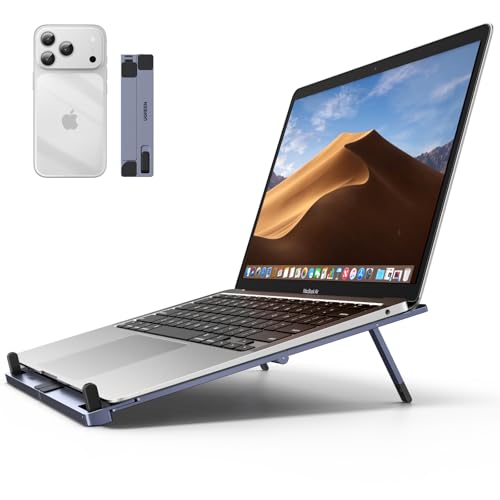
- UGREEN Aluminum Laptop Stand for Desk, Foldable Ergonomic Laptop Riser with Anti-Slip Silicone Pads, Portable Lap Desk Computer Ho...
- Wireless Mouse Bluetooth & 2.4G Slim Portable Bluetooth Mouse for Laptop, Ergonomic Cordless Design with USB Nano Receiver, Rechar...
Step 3: Choose the Right Operating System
Another important factor to consider when choosing a computer is the operating system. The most common operating systems are Windows, macOS, and Chrome OS. Windows is widely used and compatible with most software and hardware. macOS is popular among professionals in the creative industry. Chrome OS is lightweight and ideal for users who primarily use web-based applications. Choose an operating system that aligns with your needs and preferences.
Step 4: Determine Your Budget
Before making a purchase, it's essential to determine your budget. Computers come in a wide range of prices, so it's important to set a budget that suits your needs. Consider the specifications and features that are important to you and find a computer that fits within your budget. Remember to factor in additional costs such as peripherals, software, and warranties when setting your budget.
Step 5: Research and Compare Options
Once you have identified your needs, considered the specifications, chosen the operating system, and determined your budget, it's time to research and compare options. Visit ComputerBuddy.co.uk to explore a wide range of computers from top brands. Read reviews, compare prices, and consider factors such as customer support and warranty before making a decision. Take your time to find the perfect computer that meets all your requirements.
Step 6: Make the Purchase
After thorough research and comparison, it's time to make the purchase. Choose the computer that best fits your needs, add it to your cart, and proceed to checkout. Make sure to review your order before completing the purchase. Consider additional services such as extended warranties or technical support to enhance your overall experience. Once you have made the purchase, sit back, relax, and wait for your new computer to arrive.
Conclusion
Choosing the right computer is an important decision that can impact your productivity and overall experience. By following the steps outlined in this guide, you can make an informed decision and find the perfect computer that meets all your needs. At ComputerBuddy.co.uk, we are here to help you every step of the way. Visit our website to explore a wide range of computers and find the perfect match for you. Happy computing!