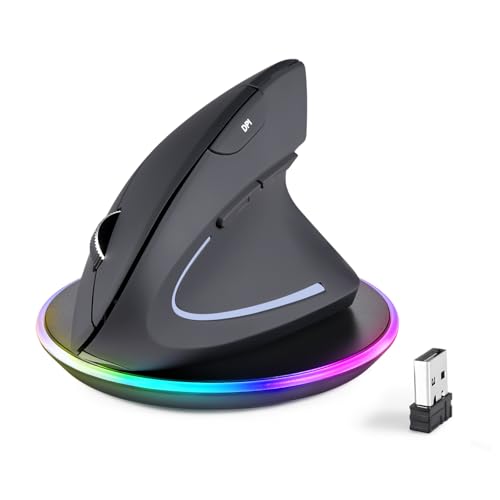
Ultimate Guide to Gaming Mice for FPS Games
This guide delves into the essentials of choosing the right gaming mouse specifically designed for first-person shooter (FPS) games. A high-quality gaming mouse can significantly impact your gaming performance, providing precision, speed, and comfort during intense gaming sessions. Various features such as DPI settings, polling rates, and ergonomic designs are crucial for gamers looking to enhance their gameplay experience.
This guide is tailored for both novice and experienced gamers who are looking to upgrade or invest in a gaming mouse that caters specifically to FPS gameplay. Readers will gain insights into the price ranges, which typically vary from budget-friendly options to premium models, and learn about key features like adjustable DPI, programmable buttons, and weight customization that can make a notable difference in gameplay effectiveness.
Research Sensor Types
Understand the difference between optical and laser sensors. Optical sensors are generally preferred for FPS games due to their accuracy and responsiveness on various surfaces.
People Also Look For:
- Tonmom Laptop Stand for Desk, Metal Laptop Riser Holder, Removable Notebook Stand Ventilated Cooling Computer Stand Compatible wit...
- BONTEC Wood Monitor Stand Riser, Desk Monitor Stand with Smartphone Holder, Ergonomic Laptop Stand with Cable Management for Compu...
- Partideal Keyboard Excel Shortcuts Mouse Mat,Quick Key Super Large Gaming Mouse Pad,Anti-Slip Multifunctional Computer Mat,Keyboar...
- for TUYA -Zigbee Scene Switch, Wireless Scene Mechanical Push Button Battery Powered, Smart Home Automation Scenario Switch for fo...
- TECKNET Bluetooth Mouse, Rechargeable Bluetooth Wireless Mouse(Tri-Mode: BT 5.0/3.0+2.4G), 4800DPI Adjustable, Silent Ergonomic Wi...
Consider DPI Settings
Look for a mouse with adjustable DPI settings. Higher DPI allows for faster movements, which is essential in FPS games where quick reflexes are vital.
Evaluate Ergonomics
Choose a mouse that fits comfortably in your hand. An ergonomic design can prevent fatigue during long gaming sessions, which is crucial for competitive play.
Look for Customization Options
Many gaming mice come with programmable buttons that allow you to assign specific commands, enhancing your performance in FPS games by enabling quick access to vital functions.
Set Your Budget
Determine how much you are willing to spend. Gaming mice range from affordable to high-end options, so knowing your budget will help narrow down your choices.
Check Return Policies
Before making a purchase, review the return policy. This is important in case the mouse does not meet your expectations or feels uncomfortable after a trial period.